

Why Calibrate Your Scanner?
Digitising hundreds or even thousands of images can be daunting. Without a calibrated scanner, extra time spent on colour correction can quickly add up, slowing your workflow and risking inconsistent results.
Why Calibration Matters
Scanner performance can vary due to:
• Ambient temperature
• Length of use
• Age and condition of equipment
Even the best scanners drift over time, causing colour shifts that affect accuracy. Regular calibration — typically monthly — is essential to maintain consistent, precise scans.
Easy to Use
To calibrate your scanner, you’ll need an IT8 colour target — reflective for flatbed scanners or transmissive for film and slide scanners.
The process is simple — scan the target with all settings turned off
(no corrections), then load the image into cProfiler to create and install your ICC profile.
Dedicated scanner software such as VueScan Professional and SilverFast* can also be used.
Watch the video below to see how easy it is to create a ICC scanner profile with cProfiler.
We offer IT8 Colour Targets in several formats:
Reflective
• 7×5 inch (177×127 mm)
• 8×6 inch (203×152 mm)
Transmissive
• 35mm (24×36 mm)
• Medium Format (60×70 mm)
• Large Format 5×4 inch (127×102 mm)
Large format targets are specifically designed for high-fidelity scans of large negatives, artworks, and archival materials — a market that includes museums, archives, fine art photographers, and restoration specialists who demand the utmost colour accuracy.
Each large format target is individually measured for maximum precision and comes supplied with a USB memory stick containing your unique reference data file to ensure easy, accurate profiling.
Please note: Large format targets are made to order and require up to an extra 5 days processing time due to their bespoke nature and niche market.
Corporate & Bulk Orders
We supply IT8 reference targets for professional and industrial use, including bulk orders for manufacturers, laboratories, and institutions.
Orders can be produced in quantity (e.g. 100–1000+ units) and may include custom branding or logos to match your requirements. Targets are supplied ready for use in production and evaluation workflows.
For pricing, branding options, and lead times, please contact us with your requirements.
IT8 Colour Target


IT8.7/2 Target
7×5 inch (177 × 127 mm) for reflective calibration, available on Fuji Crystal Archive or Kodak Professional Paper — both offering professional-quality colour accuracy and long-term stability.
£34.99
IT8.7/2 Pro
The Fuji IT8.7/2 Reflective Pro is our 8×6 inch target, designed for professional studio workflows. It is mounted on a robust 400gsm white backing board, providing enhanced durability and stability — ideal for environments where consistent, high-precision scanning is essential.
£39.99
Reflective
Transmissive


Medium Format
IT8.7/1 Colour Target – Medium Format 60 × 70 mm Transmissive Slide on Kodak Professional Film
£69.99
Large Format
IT8.7/1 Colour Target – Large Format 5 × 4 inch
(127 × 102 mm) Transmissive Slide on Fujichrome Provia Film
for accurate and reliable colour calibration.
Supplied with a free USB thumb drive containing your unique reference data file, along with a 7x5 Reflective Target.
£120.99

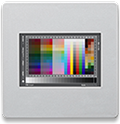
IT8 Bundle
Includes both reflective and transmissive targets for comprehensive scanner calibration:
IT8.7/2 – 7×5 inch (177 × 127 mm) Reflective Target on Fuji Crystal Archive Paper
IT8.7/1 – 35mm Transmissive Slide on
Kodak Professional Film
£69.99
Creating a profile for a scanner
The video below demonstrates how to creating a profile for a scanner using a IT8.7/2 Reflective Target with cProfiler.
PLEASE NOTE: The correct data file to use is printed on your IT8 target. For slides you may need to scan first, or use a magnifying glass to read.
IT8 Reference Files
Download the complete, up-to-date collection of IT8 reference files.
Or use the Reference File Installer to browse the available reference files online and select the ones you need to download.

Reference File Installer
Reference File collection